
Client Portal: Preferences Page
Client Portal: Preferences
Overview
The Preferences page lets you decide how involved you want to be in the day-to-day running of your property. You can add useful contacts, choose your level of involvement, and opt in or out of us replacing basic items on your behalf. You can also manage the communications you receive, opting in or out of updates based on your own preferences, such as when a new booking is received or when an Airbnb payout is on its way. These email notification settings are found on your Profile page.
Contacts
Add the people we should contact in an emergency, along with anyone else who can answer questions about your property, such as a contractor. For each contact, select a Contact Type and add a name, telephone number and email address, then select Add.
If you add a contractor's details, we will always try to call them first. If they don't answer or aren't available, we will proceed according to your chosen settings.
Level of Involvement
Under Settings, choose one of two options:
The 'Hassle Free' option
We solve problems immediately: There's no need for us to wait for your go-ahead
We let you know when the problem is solved: You are kept informed after the event
We make decisions up to a set amount: The limit is shown on the page in your local currency
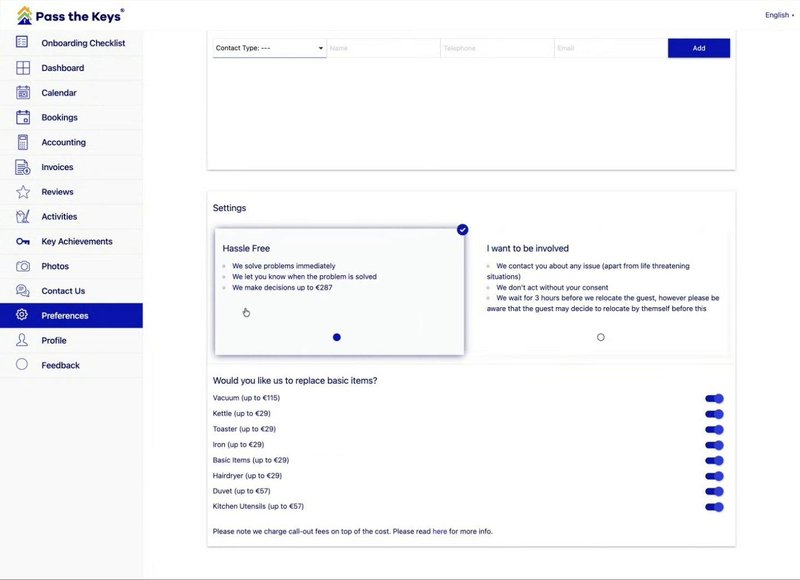
The 'I Want to Be Involved' option
We contact you about any issue: Apart from life-threatening situations
We don't act without your consent: You make the decision
We wait for 3 hours before we relocate the guest: Guests may still decide to relocate themselves before this
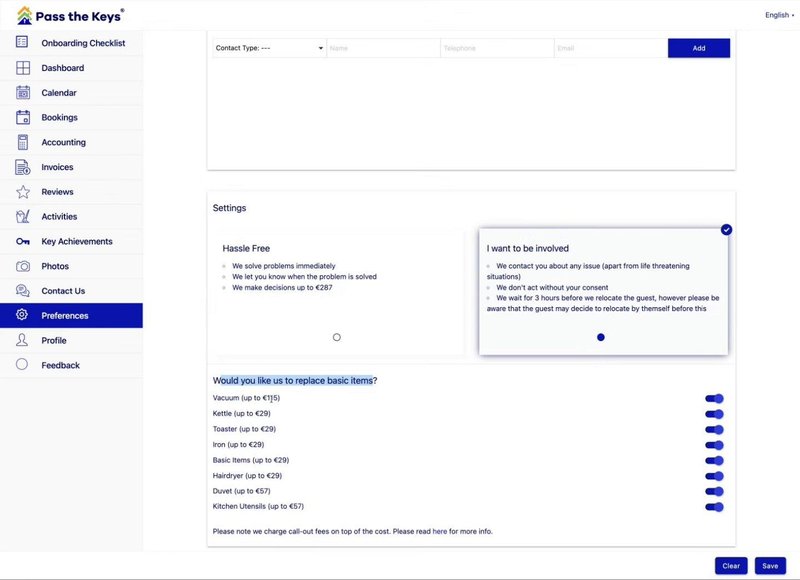
Replacing Basic Items
Choose whether we replace basic items, such as a vacuum, kettle, toaster, iron, hairdryer, duvet or kitchen utensils if they break or go missing. Each item shows the maximum cost, in euros for properties in Spain or GBP for the UK.
You can switch each item on or off individually, giving you flexibility over what we replace without checking with you first. Call-out fees are charged on top of the item cost.
Select 'Save' to keep any changes.
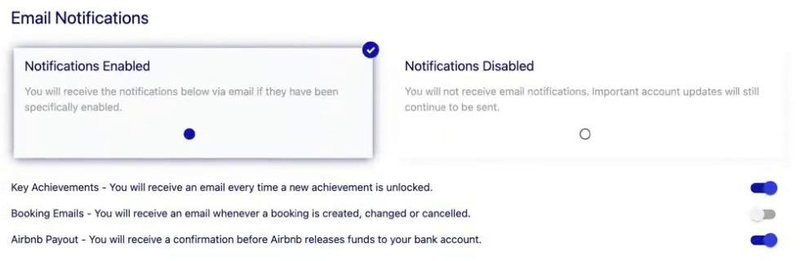
Email Notifications
You can also choose which email updates you receive. These settings are on your Profile page, under Email Notifications. With Notifications Enabled selected, you can switch each of these on or off:
Key Achievements: An email every time a new achievement is unlocked
Booking Emails: An email whenever a booking is created, changed or cancelled
Airbnb Payout: A confirmation before Airbnb releases funds to your bank account
Select 'Save' to keep your changes. If you choose 'Notifications Disabled', important account updates will still be sent.
Frequently Asked Questions
Preferences Page FAQs
With Hassle Free, we fix problems straight away and let you know afterwards, within a set spend limit. With I Want to Be Involved, we contact you first and don't act without your consent, except in life-threatening situations.
Yes. Each basic item has its own switch, so you can opt in or out of each one.
Call-out fees are charged on top of the item cost.